Health Care Privacy Tips: Expert Insights for Protecting Your Medical Information
In an increasingly digital world, your health care privacy has become more important than ever. Medical data breaches affect millions of people annually, exposing sensitive information like Social Security numbers, insurance details, and diagnoses. Understanding how to protect your personal health information isn’t just about peace of mind—it’s a critical component of your overall financial and personal security. When your medical records fall into the wrong hands, the consequences can extend far beyond your health, impacting your identity, finances, and credit score.
Health care privacy extends beyond the walls of your doctor’s office. From telehealth appointments to prescription refills, wearable devices to health insurance portals, your information travels through numerous digital channels daily. Each touchpoint presents potential vulnerabilities that savvy patients need to understand and manage proactively. This comprehensive guide explores expert-backed strategies to safeguard your medical information while navigating the complex landscape of modern healthcare.
Understanding HIPAA and Your Legal Protections
The Health Insurance Portability and Accountability Act (HIPAA) serves as the foundation of health privacy law in the United States. Enacted in 1996, HIPAA establishes national standards for protecting sensitive patient health information. However, many people misunderstand what HIPAA actually covers and what gaps may exist in protection. HIPAA applies to covered entities—healthcare providers, health plans, and healthcare clearinghouses—but notably does not extend to many technology companies and health apps you might use daily.
Understanding your HIPAA rights is essential for protecting your health care privacy. You have the right to access your medical records, request corrections to inaccuracies, receive notice of privacy practices, and request restrictions on how your information is used or shared. Additionally, you can request an accounting of disclosures to understand who has accessed your information and for what purposes. These rights empower you to maintain oversight of your medical data and identify potential breaches quickly.
HIPAA violations carry significant penalties for healthcare organizations, ranging from $100 to $50,000 per violation, with annual maximums reaching millions of dollars. This regulatory framework incentivizes healthcare providers to implement robust security measures. However, the law has limitations. HIPAA doesn’t protect information held by employers, life insurers, or non-covered health technology companies. If you’re exploring health and wellness jobs, understanding HIPAA compliance is increasingly valuable in the healthcare sector.
To maximize your HIPAA protections, request a copy of your healthcare provider’s privacy notice, review it carefully, and understand how your information may be used for treatment, payment, and operations. Ask specifically about secondary uses of your data, such as research or marketing. Many providers will honor requests to limit these uses even when HIPAA technically permits them.
Securing Your Digital Health Records
Digital health records represent both convenience and vulnerability. Patient portals offer instant access to test results, medication lists, and appointment histories, but they also create digital entry points for unauthorized access. Securing these accounts requires multi-layered protection strategies that go beyond simple password management.
Start with robust password security. Use unique, complex passwords for each healthcare provider’s patient portal—never reuse passwords across platforms. Your healthcare password should contain at least 16 characters mixing uppercase and lowercase letters, numbers, and special characters. Consider using a reputable password manager to generate and store these complex credentials securely. Password managers encrypt your passwords and require only one strong master password for access.
Enable two-factor authentication (2FA) on every health portal that offers it. 2FA adds an additional verification step beyond your password, typically through your smartphone. Even if someone obtains your password, they cannot access your account without this second authentication factor. When setting up 2FA, choose authentication apps over SMS text messages when possible, as text-based codes can be intercepted through SIM swapping attacks.
Regularly review your patient portal login history and account activity. Most major healthcare providers allow you to view recent login locations and times. Unfamiliar access should trigger immediate password changes and contact with your healthcare provider’s security team. Some providers offer alerts for unusual account activity—enable these notifications to catch breaches early.
Be cautious about which devices access your health information. Avoid using public or shared computers for healthcare portals. When accessing health records on personal devices, ensure your operating system and antivirus software are current. Outdated software contains known security vulnerabilities that hackers actively exploit. Schedule automatic updates for your devices to ensure you receive critical security patches promptly.
Protecting Information During Telehealth Visits
Telehealth has revolutionized healthcare accessibility, particularly for those balancing multiple responsibilities. However, virtual visits introduce privacy considerations absent from traditional office visits. Your home environment, internet connection, and communication platform all affect the security of sensitive health discussions.
Before your telehealth appointment, ensure privacy in your physical location. Use a private room where others cannot overhear your conversation or see your screen. This prevents family members or roommates from accidentally exposing your health information. Close windows if you live near neighbors, and use headphones or earbuds to contain audio.
Verify the telehealth platform’s security credentials before your appointment. Legitimate healthcare telehealth services use encrypted connections (look for HTTPS in the website URL and a padlock icon in your browser). The platform should comply with HIPAA requirements and provide clear privacy policies. HHS HIPAA Security Resources provide detailed information about compliant platforms.
Use a secure, password-protected internet connection for telehealth appointments. Avoid public WiFi networks at coffee shops, libraries, or airports, as these unencrypted networks expose your data to interception. If you must use public WiFi, connect through a virtual private network (VPN) first. VPNs encrypt your internet traffic, preventing others on the network from viewing your data.
Test your technology before your appointment. Ensure your camera, microphone, and internet connection function properly. Technical difficulties that extend your call expose your information longer than necessary. Arrive early to your virtual appointment to account for any setup issues.
After telehealth appointments, log out completely from the platform and clear your browser cache. Some devices store login information for convenience, but this creates vulnerability if your device is lost or stolen. Treat telehealth platforms like banking apps—log out after each use.
Managing Insurance and Billing Privacy
Health insurance documents contain some of your most sensitive information: diagnoses, treatment details, and financial records linked to your identity. Protecting these documents requires careful handling both physically and digitally.
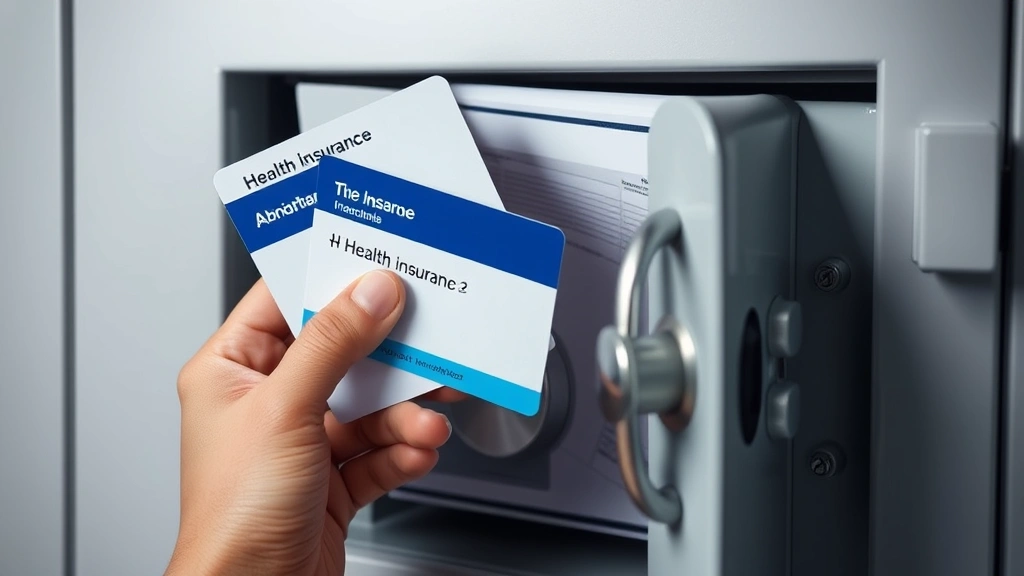
Securely store physical insurance documents in a locked cabinet or safe, separate from other important documents. Insurance cards should be protected similarly to credit cards. Don’t photograph your entire insurance card for storage on your phone—if your phone is lost or stolen, a complete card image enables medical fraud. If you need digital reference, photograph only the member ID number, storing this image separately from the group number and other identifying information.
Review your Explanation of Benefits (EOB) statements carefully each time you receive them. EOBs detail what your insurance company paid for your healthcare services. Discrepancies may indicate billing errors or fraudulent claims. Report suspicious charges to your insurance provider immediately. Many insurance companies have dedicated fraud investigation teams that investigate unauthorized claims.
Be cautious about sharing insurance information with third parties. Healthcare providers legitimately need your insurance details for billing, but always verify you’re providing information to authorized personnel. Scammers frequently pose as insurance representatives to extract sensitive information. Call your insurance company directly using the number on your card rather than using contact information from unsolicited communications.
When paying medical bills online, use your healthcare provider’s official website or patient portal rather than clicking links in emails. Email-based links may direct you to fraudulent payment pages designed to steal your financial information. Type the provider’s website URL directly into your browser or call their billing department for payment instructions.
Consider setting up a dedicated email address for healthcare communications. Using a separate email prevents healthcare messages from mixing with other correspondence and makes it easier to identify phishing attempts impersonating healthcare providers. This email should have a strong password and two-factor authentication enabled.
Safeguarding Wearable Health Devices
Fitness trackers, smartwatches, and health monitoring devices collect continuous data about your physical activity, heart rate, sleep patterns, and sometimes medication adherence. While these devices offer valuable health insights, they also create persistent data collection that raises privacy concerns.
Review privacy policies for any wearable health device before purchase and use. Many manufacturers collect more data than necessary for the device’s core functions. Some sell aggregated health data to third parties for research or marketing purposes. Understanding these practices allows you to make informed decisions about which devices align with your privacy preferences.
Secure your wearable device with a strong PIN or password when available. Most smartwatches and fitness trackers allow optional security settings that prevent unauthorized access to your health data. Enable these protections, particularly if you sync your device to cloud services.
Review and adjust privacy settings within companion apps for your wearable devices. Many apps default to sharing data with third-party services for analytics or marketing. Disable these sharing settings unless you specifically want this functionality. Check whether the app allows you to opt out of data selling or sharing for purposes beyond device functionality.
Be mindful of what health data you choose to track and store. While tracking detailed health metrics seems beneficial, accumulating extensive health data creates a larger target for breaches. Consider tracking only metrics most relevant to your health goals, minimizing your digital health footprint.
Regularly update your wearable device’s firmware and companion app. Manufacturers release security updates addressing known vulnerabilities. Outdated devices with unpatched security flaws can be compromised, potentially exposing years of accumulated health data.
Privacy Considerations for Health Information Management Professionals
Healthcare workers handling patient information face unique privacy responsibilities. If you work in health information management, understanding privacy obligations protects both patients and your career. HIPAA compliance isn’t optional—it’s a legal requirement with serious consequences for violations.
Professionals in healthcare settings should never discuss patient information in public spaces where conversations might be overheard. Hallways, elevators, and break rooms are common locations for accidental privacy breaches. Use private spaces for any patient-related conversations, and verify the person you’re speaking with has legitimate access to that information.
Never access patient records unless required for your job duties. Curiosity about celebrity patients or acquaintances has resulted in terminations and legal action. HIPAA audit trails track every access to patient records, and unauthorized access is readily identified. The CMS HIPAA Enforcement page documents real cases and penalties.
Use only approved devices and networks for accessing patient information. Personal devices and home networks typically don’t meet HIPAA security standards. Connecting to unsecured networks or using personal equipment to access patient data violates HIPAA requirements and creates liability for both you and your employer.
Report suspected privacy breaches immediately to your compliance officer or privacy department. Many organizations have confidential reporting mechanisms for privacy concerns. Reporting suspected breaches protects patients and demonstrates your commitment to HIPAA compliance.
Consider earning relevant certifications in health information privacy. Credentials like Certified Health Data Analyst (CHDA) or Registered Health Information Administrator (RHIA) demonstrate expertise and commitment to privacy standards. These certifications enhance career prospects in health and wellness career fields.
Participate in mandatory HIPAA training offered by your employer. While these trainings may seem repetitive, they ensure you understand current privacy regulations and your organization’s specific policies. Staying informed about evolving privacy requirements protects your professional standing.
FAQ
What should I do if I discover unauthorized access to my medical records?
Contact your healthcare provider’s privacy office immediately. Request a detailed accounting of who accessed your records and when. File a complaint with the HHS Office for Civil Rights if you believe HIPAA was violated. Monitor your credit reports for fraudulent activity, as medical data breaches sometimes lead to identity theft. Consider placing a fraud alert with credit bureaus.
Are health apps and fitness trackers covered by HIPAA?
Not necessarily. HIPAA only covers apps and devices created by HIPAA-covered entities (healthcare providers, insurers, and clearinghouses). Most consumer health apps and fitness trackers aren’t covered by HIPAA. However, some are Business Associates of covered entities and must follow HIPAA rules. Always review the app’s privacy policy to understand how your data is protected and used.
Can my employer access my health information?
Generally, no. Employers cannot access employee health information except in specific circumstances related to workplace safety or workers’ compensation. However, if you use your employer’s health insurance plan, the employer has limited access to summary health data for plan administration. Keep health information separate from employment records when possible.
What information should I never share online about my health?
Avoid sharing specific diagnoses, medication names, or treatment details on social media. Even seemingly anonymous posts can be connected to your identity through metadata or account information. Don’t share photos from medical facilities or wearing hospital gowns. Never post about ongoing treatments that could reveal your location or routine to potential criminals.
How often should I review my medical records for accuracy?
Review your records at least annually, or after any significant medical event. Errors in medical records can affect your care quality and insurance coverage. Inaccurate diagnoses or medication lists could lead to dangerous drug interactions or inappropriate treatments. Request corrections immediately if you identify errors, and follow up to ensure corrections were made.
Is it safe to use public computers for healthcare portals?
Avoid using public computers for healthcare portals whenever possible. Public computers may have malware, keyloggers, or other security threats. If absolutely necessary, use private browsing mode, clear the browser cache afterward, and never allow the browser to save your password. Better options include using your personal device on a secure personal network.